
1. Two Types of Location Pages Explained
Understanding the two types of location pages is essential for your strategy. Physical location pages are for businesses with a specific address where customers can visit. For example, a bank branch must provide details such as address, hours, and what to expect. These pages are vital because they help convert local searches into foot traffic. Users typically look for directions, opening hours, and parking information when searching for local businesses. Service area pages cater to businesses that serve multiple locations but don’t have a physical presence in each area. For instance, an HVAC company may serve several towns without a brick-and-mortar location in each one. These pages should emphasize credibility and showcase the services offered in those areas. Users want proof that you serve their locality, which builds trust and encourages them to choose your business. Both types of pages work together to create a clear online presence. A business like McCafferty Funeral & Cremation Inc. illustrates this perfectly. They have physical location pages for their offices and service area pages for nearby towns without a physical location. By linking these pages, they provide an optimal experience for users and improve their search engine visibility. Knowing which type of location page to create is key to meeting user needs. Physical location pages drive foot traffic. Service area pages enhance visibility across multiple regions. Understanding this distinction allows you to create targeted content that connects with your audience.2. Key Elements of a Physical Location Page
- Identify Your Business Name: Clearly state your business name at the top of the page. This helps with brand recognition and search visibility.
- Add Your Address: Include the full address, including street number, street name, city, state, and ZIP code. This is essential for local searches.
- Include Contact Information: Provide a phone number and email address for easy customer contact. This encourages users to reach out directly.
- Show Operating Hours: Clearly list your business hours, including any holiday hours. This helps manage customer expectations.
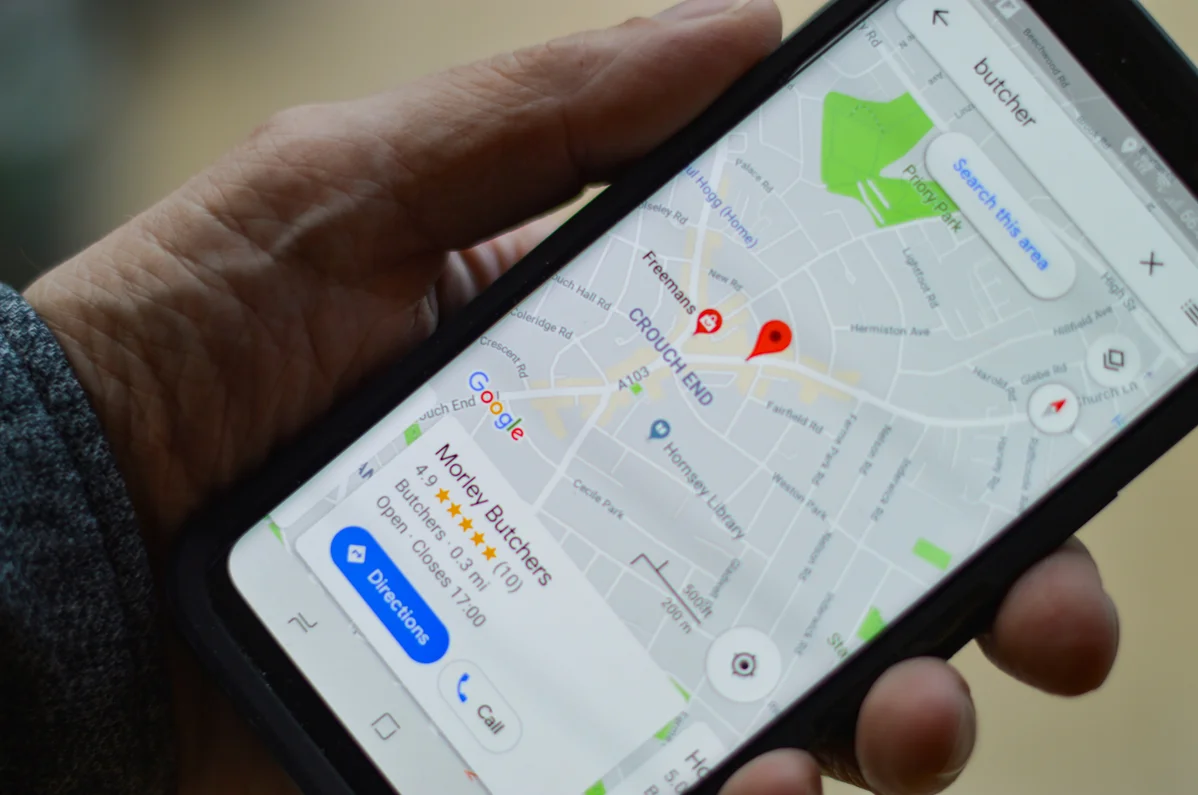
- Embed a Map: Use a map feature to show your physical location. This aids users in finding you easily and increases foot traffic.
- Add Local Content: Include nearby landmarks or community information. This makes your page more relevant to local searches.
3. How to Build Service Area Pages
Service area pages are key for businesses that don't have a physical location in every area they serve. These pages should focus on the geographic areas covered and the services offered in those regions. You can build an effective service area page by starting with a clear introduction that outlines the service areas. Pro Tip: Businesses with optimized location pages can see a 30% increase in foot traffic, according to Google (2026). Next, include testimonials or case studies from customers in those areas. This builds credibility and shows potential clients that you have experience in their locality. It's also helpful to mention any local events or factors that highlight your expertise, such as weather conditions or local regulations that affect your services. Make sure to optimize the page for local SEO by including relevant keywords related to the services and areas served. This improves search rankings and helps potential customers find your business more easily. Remember to link these pages to your physical location pages, creating a cohesive online presence. Building service area pages involves clear communication of the areas served, showcasing local expertise, and optimizing for search engines. This strategy improves visibility and builds trust with potential customers.4. Ranking Tactics for Location Pages
To rank well, location pages must use specific tactics tailored to local SEO. First, ensure that your pages are optimized for local keywords. This means including your business name, location, and services throughout the content. Google rewards pages that closely match user search queries, so be strategic with your keyword use. Second, apply schema markup to enhance your listings in search results. This code helps search engines understand the content of your pages better. By adding schema for business information, you increase the chances of appearing in rich snippets, which can lead to higher click-through rates. Third, focus on building backlinks from reputable local websites. This can include local news sites, directories, or community organizations. Backlinks signal to Google that your page is trustworthy and relevant, which can significantly impact rankings. Lastly, keep your content fresh and updated. Regularly updating your location pages with new information, such as changes in services, hours, or promotions, signals to search engines that your content is relevant. This can lead to improved rankings over time. By implementing these tactics, you can improve the visibility and ranking of your location pages. This will ultimately lead to more traffic and conversions for your business.
5. Plug-and-Play Templates for Easy Setup
Using templates can simplify the process of building location pages. Start with a basic layout that includes all the key elements mentioned earlier. This can save time and ensure that essential information is included on every page. Consider creating templates for both physical location pages and service area pages. Each template should have placeholders for critical information such as address, phone number, hours, and services offered. This allows for quick adjustments as needed based on specific locations. Use design elements that enhance user experience. Clear call-to-action buttons, engaging images, and easy navigation can improve conversions. Templates should be adaptable, allowing for customization based on the unique aspects of each location. In addition, ensure your templates are mobile-friendly. A significant amount of local searches occur on mobile devices. A responsive design ensures that users have a smooth experience, regardless of the device they use. By using plug-and-play templates, you can streamline the setup process for location pages. This approach saves time and ensures consistency across all your pages.Frequently Asked Questions
What are the key elements of a location page?
A location page should include the business name, address, and contact details. According to MentionThis, 70% of location pages do not convert. This occurs because many pages lack essential information or are too generic. Users looking for specific details may leave if they can’t find what they need. Businesses should focus on creating informative and engaging pages. Adding local content can enhance the page's relevance and improve conversions.
How can service area pages benefit my business?
Service area pages allow businesses to reach customers in multiple locations. Google reports that businesses with optimized location pages see a 30% increase in foot traffic. This happens because these pages provide proof of service in specific areas. Customers are more likely to trust businesses that clearly communicate their service areas. Implementing service area pages can increase visibility and attract new clients. Consider including local testimonials to enhance credibility.
Why do most location pages fail?
Most location pages fail because they are either too thin or too generic. MentionThis notes that 70% of these pages do not convert successfully. This issue arises when pages only list an address and phone number without engaging content. Customers need specific information to choose a service. Businesses should focus on creating informative, user-friendly pages. Updating content regularly can also help improve page performance.
How long does it take for a location page to rank?
A location page can rank within as little as 48 hours in some cases. Real case studies show that optimized pages can achieve quick rankings. This rapid ranking often occurs when the page is tailored to match user intent. Businesses aiming to improve local visibility should ensure their content aligns with search queries. Regularly updating pages can also contribute to sustained rankings over time. Prioritizing local SEO strategies can enhance quick visibility.
What is the difference between physical and service area pages?
Physical location pages are for businesses where customers can visit. Service area pages represent businesses that serve specific regions without a physical presence. MentionThis highlights that these pages meet different user intents. Customers seek location pages for directions and hours. Service area pages provide service credibility. Understanding this difference helps businesses create targeted content for each page type. Tailoring content to user needs enhances engagement and conversion rates. For background context, see Location on Wikipedia.